
Data Recovery
Server Recovery
File Recovery
Software

Deleted File Data Recovery
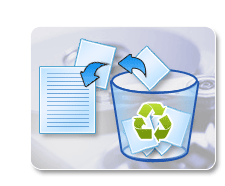
People end up deleting their critical data either by mistake, by malicious software or by a virus. The common problem with deleting files is the accidental removal of the data that later turns out to be critical informaiton.
Its good practice not to delete the file instantly, rather transfer them to recycle bin where they can be deleted at will. Also data can be restored form recycle bin if it turns out to be important. The problem arises when data is deleted from recycle bin which then cannot be restored.
However deleted data is always recoverable, once the data is deleted the block where it resides is marked as empty space, however the data is still there. Once new data is written it may take the space at that block. As soon as you found out that the deleted data is critical and you need it back, you should turn off the system to prevent any new data taking up that block.
Disk Doctors can get your data back even if its deleted from recycle bin but there are some do’s and don’ts you should be aware of. We can recover data from any platform and any operating system.
Expert tips!!! Do's and don’t after files have been deleted
- Check recycle bin and do not save any other data onto the system after the data in question have been deleted / lost.
- Close all applications without saving any further data to the disk or other data storage media.
- Do not rewrite anything on drive as it may overwrite your lost data.
- Power off the computer.
- Try not to panic and quickly give us a call at 0800 043 6611 and submit your case to us. Do not try and do more with the drive as adventurous behavior can lead to even more data loss, which would result in permanent loss of data.
- You can also try our Undelete Software to recover deleted, lost, missing files and folders, but make sure you install the software on a separate drive and connect the drive which had your missing data. Follow the instructions in the software.
Supported Files
- DOC, XLS, PPT, MDB - MS-Office Applications
- JPG, BMP, TIFF, PSD - Graphics Files - Images
- NSF, PST, DBX, MBX - Email Archives
- AVI, MPG, MPEG, MP3, WAV, WMV - Sound and Video Files
- DWG, DXF - CAD / CAM Files
- MDB, DBF - Database Files
- Many Others
Supported OS
- Windows (FAT & NTFS)
- Linux (Ext2, Ext3, UFS, XFS), Unix
- MAC
- Sun Solaris
- BSD, SCO Open Server / UnixWare
- AS 400, Novell
- HP UX, AIX
- Others
To recover your loss data we follow a standardized data recovery process in all our data recovery labs across the globe. Call us at
0800 043 6611 to consult your case or submit your case for free evaluation with No Recovery, No Charge guarantee.
Data Protection & Confidentiality
Disk Doctors guarantees protection of your data throughout the data recovery process, from evaluation to handing data back to the client.
- Disk Doctor Employees are selected through a rigorous process of selection and follow our strict rules and procedures for handling the client data.
- Client media is cloned sector by sector onto our own lab media and all the data recovery work is carried out on the cloned media not the original media; this ensures that client’s storage media is always intact.
- Upon successful recovery Disk Doctors by default keeps a copy of the data for 7days before it gets deleted automatically from our Lab Server. This helps in providing the copy of data again if some thing goes wrong during the transfer of data to client e.g. the data media gets damage or goes missing during the postal process.
- Our agreement to recover the data includes the clause for protection and non disclosure of data as per legal rules and regulations. If you require separate agreement for data protection and non disclosure, we are happy to sign the agreement.